Block Unknown Account Messages on WhatsApp: What It Does
You've seen Block unknown account messages in WhatsApp's privacy settings and you want to know what it blocks before you switch it on. Does it stop every message from a number you haven't saved?
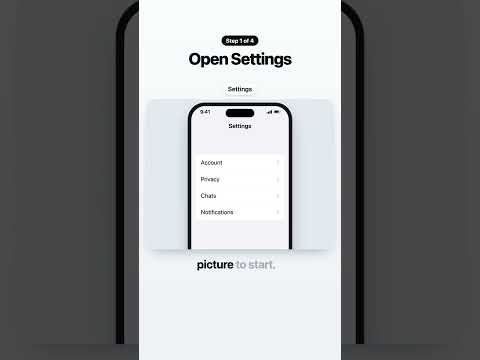
No, and that's the part the name hides. WhatsApp's help center says that when the setting is on, WhatsApp blocks messages from unknown accounts when they exceed a high volume. During that period your contacts can message you as usual, and the blocking stops after message rates return to normal.
What the setting does
WhatsApp describes it as an advanced security measure, meant to help protect your account and improve device performance. It isn't a filter for every stranger. It reacts to volume.
| Question | What WhatsApp's help pages say |
|---|---|
| What does it block? | Messages from unknown accounts, when they exceed a high volume |
| Who still gets through? | Your contacts, as usual |
| When does blocking stop? | After message rates return to normal |
| Where is it? | Settings > Privacy > Advanced |
| Can WhatsApp suggest it? | Yes. You might be prompted to turn it on if you receive a high volume of unknown messages |
WhatsApp doesn't publish the volume that counts as "high", so we can't give you a number. The page is direct about the limit: if you turn the setting on, you won't block all unknown messages.
Who counts as unknown
WhatsApp doesn't define "unknown account" on the page that describes the setting, but it contrasts it with your contacts, who can message you as usual. Elsewhere, WhatsApp's safety page says that when you get a first message from someone who isn't saved, you'll see details that show they aren't a contact, whether you share groups, and which country their number is registered in. From there you can add, mark as trusted, block or report them.
That first-message card is a different tool. It shows you information and leaves the choice to you. The volume setting acts on its own once it's on, and only against unknown accounts above a high volume.
Does the sender know?
WhatsApp's pages don't describe what the sender sees when their messages are held back, and they don't describe any notice to them. We can't say more than that. A normal block is a separate action, covered in what happens when you block someone.
Where to find it and how to undo it
The setting sits on the Advanced screen of your privacy settings. WhatsApp's help page gives these steps.
On Android:
- Tap More options (three vertical dots) > Settings > Privacy.
- Tap Advanced.
- Turn Block unknown account messages on or off.
On iPhone:
- Tap Settings or your profile picture, then tap Privacy > Advanced.
- Turn Block unknown account messages on or off.
On WhatsApp Web, the page says to go to Settings > Privacy and use the switch under Advanced.
To undo it, go back to the same screen and turn the switch off. Even while it's on, the page says message blocking stops after message rates return to normal.
Other tools for unknown senders
Unwanted contact from numbers you don't know comes in several forms, and WhatsApp has separate tools for each.
- Block and report one number. Open the chat and use the block option. WhatsApp says that if the person contacts you from new numbers, you can block and report each new number.
- Silence unknown callers. On Android, go to More options > Settings > Privacy > Calls; on iPhone, Settings > Privacy > Calls. Turn on Silence unknown callers. Silenced calls show in the Calls tab and notifications, but the phone won't ring. See WhatsApp silence unknown callers.
- Limit what unknown numbers see. WhatsApp suggests setting Last seen, Profile photo, About and Status to My contacts or Nobody, and controlling who can add you to groups.
- Report. Reporting from a chat sends WhatsApp up to five of the last messages that person sent you; see what happens when you report someone.
Should a business number turn it on?
A business gets messages from unknown numbers by definition. A new customer who writes to you for the first time isn't in your contacts. So the real question is whether a normal day for you can look like a high volume of messages from numbers you haven't saved.
WhatsApp's wording gives you the safe reading: the setting applies to unknown accounts exceeding a high volume, and contacts are unaffected. If an ad, a link or a campaign sends a burst of first-time customers to your number, none of those people are in your contacts yet. WhatsApp doesn't say how its system tells a spam flood from a busy launch, so we can't promise which side your burst falls on. If you expect spikes, consider leaving it off or saving contacts as they come in.
For lower-risk spam, the individual block, the first-message details and the privacy limits above leave the decision with you. Saving a number also changes how it shows up, as covered in what saving a number does.
Where Tenashi fits
On a shared business number, a missed first message can mean a lost customer, and nobody on the team can tell what a phone has quietly held back.
Tenashi puts the messages the connected number receives into one shared inbox as they arrive, so the team can assign a new chat to an agent, add a contact profile with labels and notes, and set a follow-up reminder. Tenashi doesn't change any WhatsApp privacy setting, including this one, and it can't show you what WhatsApp withheld before it reached the number. That covers chats on your own connected business number, from the day you connect it. For the bigger picture, read our guide to WhatsApp for business.
Plans start at $18/mo. Get started.
FAQ
What does block unknown account messages mean on WhatsApp?
It means WhatsApp will block messages from unknown accounts when they exceed a high volume. It's an advanced security measure to protect your account and improve device performance. Your contacts can message you as usual, and the blocking stops after message rates return to normal.
Why am I getting unknown messages on WhatsApp?
WhatsApp says other users who have your phone number can contact you, whether or not they're saved in your contacts. Its safety tools show you details on a first message from someone not saved, such as whether you share groups and their country. You can block and report each number, and limit what unknown numbers see in your privacy settings.
Does WhatsApp unknown number message block automatically?
Only for high volumes, and only once Block unknown account messages is on. WhatsApp might prompt you to turn it on after a high volume of unknown messages. Its page also says the setting won't block all unknown messages, so block a number you don't want yourself.
Does block unknown messages on WhatsApp block my contacts?
No. WhatsApp's page says that while the blocking is active, your contacts can message you as usual. It applies to unknown accounts, and WhatsApp's page contrasts them with your contacts. Save a customer's number and they're a contact.
How do I turn off block unknown account messages?
On Android, tap More options, then Settings, Privacy and Advanced. On iPhone, tap Settings or your profile picture, then Privacy and Advanced. Turn Block unknown account messages off. Even with it on, WhatsApp says the blocking stops after message rates return to normal.
Block unknown account messages reacts to floods, not to every new number, which matters when new customers are strangers. To work first-time chats as a team, get started with Tenashi.