What Happens When You Reply to a WhatsApp Status?
You saw someone's status and typed a reply. What happens when you reply to a WhatsApp status, and who else sees it?
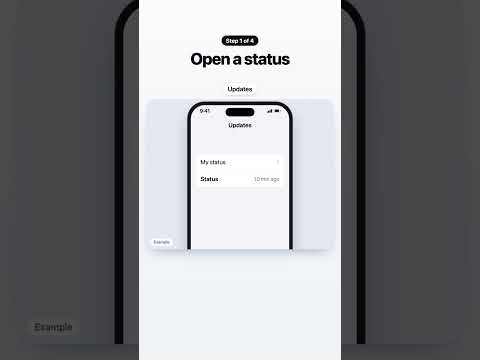
Your reply goes to your one-to-one chat with the person who posted the status, labeled as Status. WhatsApp's Help Center says replies "are sent to your shared chat and labeled as Status." The poster can read it there, and it also shows in a replies section next to the views on their status. The help pages describe no way for other people who viewed the status to see your reply.
Where the reply goes
The Help Center page "How to view, like, and reply to status" says you can reply with text, photos, attachments, emojis and voice recordings. Whatever you send lands in the chat the two of you already share.
| Question | What WhatsApp says |
|---|---|
| Where does the reply go? | To your shared chat with the poster, labeled as Status |
| What can I send? | Text, photos, attachments, emojis, voice recordings |
| Where else does the poster see it? | In a replies section alongside the views on that status |
| Do other viewers see it? | The pages describe no wider audience for a reply |
| Can the poster see I viewed the status? | Yes, unless you or they turned off read receipts |
The last row is separate from the reply. People can see that you viewed their status unless you or they have disabled read receipts. A reply is a message you chose to send, so your read receipt setting has no bearing on whether it arrives.
What the poster sees on their side
The poster has two places to find your reply. One is the shared chat with you, in Chats. The other is on the status itself: the help page "How to see who viewed or liked your status" says replies "also appear in a replies section alongside your views," and that section only appears once a reply has come in. The view, like and reply page puts it another way: the poster "can see your reply in the Activity page on their status."
To open it, the poster taps Updates > My status, taps the status, then the eye icon. The section shows up to three of the most recent replies, with See all when there are more than three. Tapping a reply opens that chat, and tapping the reply icon opens the chat with the status quoted. Each reply shows a short preview.
If you delete your reply, the same page says it's removed from the replies section and from the reply count. How deleting works in the chat itself is covered in the delete for everyone time limit.
How to reply
The steps are the same on Android and iPhone, apart from one icon:
- Tap Updates, then tap a profile picture.
- While the status is displayed, swipe up or tap Reply.
- Type your reply, tap the camera to reply with a photo, or tap the microphone to record a voice reply. To attach a file, tap the paper clip on Android or the plus sign on iPhone. The smiley face adds an emoji.
- Tap the send button.
The page opens with a note that WhatsApp is building and testing features that may not be available to you yet, and recommends keeping the app updated.
Reply, react or like
These are three separate actions, and the help pages place them differently.
A reaction is a quick reply. WhatsApp says reactions are "shared as soon as you tap them," and they're sent to your shared chat labeled as Status too. You can react with emojis, stickers, GIFs or your avatar, though avatar stickers need an avatar you've already created. On the poster's side, reactions appear in a Sticker Responses section of the views screen.
A like is the heart you tap while the status is on screen. The poster sees a green heart next to your profile picture when they check status views. The pages describe likes in the views list only, not as a message in your chat. More in what happens when you like a status.
A reply is the one you type. It's the only one of the three that carries your own words or a voice note.
Group status and mentions
A status posted to a group works differently from a personal status: it's visible to all members of that group regardless of the poster's privacy settings. Its details are in our guide to group status. Being mentioned in a status is a separate feature again, covered in what a status mention is.
Can you turn status replies off?
WhatsApp's help pages describe no switch that turns replies off on a status you post. They describe other controls instead:
- Your audience. Under Updates > More > Status privacy you choose My contacts, My contacts except... or Only share with.... By default, statuses go to all your contacts. People you mention in a status can see it even if they're outside your audience.
- Your privacy settings. The troubleshooting page says you won't see replies if your privacy settings don't allow messages from the contacts you want to hear from, or if the person replying isn't in your audience.
- Blocking. If you've blocked someone, you won't see any messages, replies or status updates from them.
Changes to status privacy don't affect a status you've already shared. Hiding a contact's status on your own phone is a viewing choice and doesn't stop them seeing yours; see how to hide someone's status. For the views list itself, see who viewed my status.
Where Tenashi fits
If your business posts offers on its WhatsApp status, a customer's reply is the start of a sales conversation. On a shared number, the risk is that it sits on the phone and nobody follows it up.
WhatsApp sends a status reply to your shared chat as a message. On a number connected to Tenashi, that chat is in the shared inbox, where the team can assign it to an agent and leave an internal note the customer never sees. Status updates themselves don't appear in Tenashi. That covers chats on your own connected business number, from the day you connect it. More on running a team on one number in our guide to WhatsApp for business. Plans start at $18/mo.
FAQ
What happens when you reply to a WhatsApp status?
Your reply is sent to your shared chat with the person who posted the status, labeled as Status. The poster can also see it in a replies section alongside the views on that status. WhatsApp's pages describe no way for other people who viewed the status to see it.
If I reply to a WhatsApp status, will they know?
Yes. A reply is a message you send, and it appears in your chat with the poster and in the replies section on their status. Separately, they can see that you viewed the status unless you or they have read receipts turned off.
Can other people see my WhatsApp status reply?
WhatsApp's help pages say replies go to your shared chat with the poster and to the replies section on the poster's own status. They describe no wider audience, so other viewers aren't described as seeing it. The poster could still show it to someone.
How do I turn off WhatsApp status replies?
WhatsApp's help pages describe no setting that turns replies off. You control who sees your status through Status privacy, with My contacts, My contacts except or Only share with. Replies also depend on your privacy settings allowing messages from that contact.
What does the WhatsApp status reply symbol mean?
WhatsApp's help pages mention a reply icon in the replies section of your status views: tapping it opens the chat with your status quoted. Replies and reactions are labeled as Status in the chat. A green heart next to a profile picture in the views list means a like.
A status reply is a chat message from the viewer to the poster, and your team can pick it up like any other. To work those chats together, get started with Tenashi.