WhatsApp Chat Transfer Stuck? Moving Chats to a New Phone
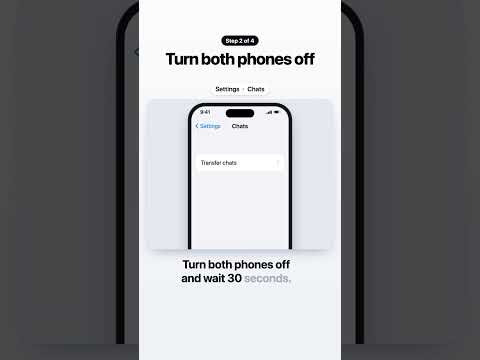
If your WhatsApp transfer of chats is stuck on a new phone, restart both phones and try again. WhatsApp's own advice is to turn both off, wait 30 seconds, turn them back on and start the transfer again. A stuck or failed transfer doesn't delete anything: your data is still on the old phone.
WhatsApp's troubleshooting pages list the most common reasons a transfer fails: WhatsApp was already activated on the new phone, the number is different, Wi-Fi or a permission is missing, the wrong QR code was scanned, or verification codes are on a wait.
Do this first when it's stuck
WhatsApp says it doesn't delete your chats during a transfer, so the first rule is to leave the old phone alone.
- Don't delete data, reset the old phone or uninstall WhatsApp on it until you've confirmed the chats arrived on the new phone.
- Turn both phones off, wait 30 seconds and turn them back on.
- Start the transfer again.
- If you got an error message, restart both phones and begin the process again.
During a same-type transfer, keep both phones unlocked and stay in WhatsApp. Messaging is paused until it finishes.
What both phones need
Each row below comes from WhatsApp's how-to page for that move.
| Move | What WhatsApp lists |
|---|---|
| Android to Android | Android 6 or above on both, the same number, new phone not registered on WhatsApp until you start on the old one, phones close together and on power, Wi-Fi switched on (no network needed), permissions accepted, precise location on Android 12 and below |
| iPhone to iPhone | Latest iOS and latest WhatsApp on both, the same number, new phone not registered yet, phones close together and on power, Wi-Fi with internet, local network permission on both |
| Android to iPhone | Move to iOS app on the Android, Android 5 or above, iOS 15.5 or above, latest WhatsApp on both, same number, a factory new or reset iPhone, both on power and on the same Wi-Fi (or the Android on the iPhone's hotspot) |
| iPhone to Android | Android 6 or above, latest WhatsApp on both, same number, a stable Wi-Fi connection |
One conflict: WhatsApp's "Can't move chats from an iPhone to an Android device" page still asks for more, namely Android 10 or above, a new or factory reset Android phone, iOS 15.5 or above, and both phones plugged in on the same Wi-Fi. If an iPhone to Android move won't start, check that stricter list too.
The WhatsApp Business app is a hard limit: WhatsApp's how-to pages for all four moves say it's currently not possible to transfer chats on the Business app.
"WhatsApp is already active on my new phone"
A transfer only works before WhatsApp is activated on the new phone. For two Android phones or two iPhones, WhatsApp says to uninstall WhatsApp on the new phone before you start the transfer from the old one. You can't merge chats from the two phones.
Android to iPhone is stricter. The transfer runs as part of setting up the iPhone, so it only works on one that's factory new or freshly reset, and WhatsApp's fix is to erase it and start again, which deletes everything on the iPhone, not only WhatsApp. For iPhone to Android, the how-to page says to uninstall WhatsApp on the new phone, while the troubleshooting page describes a factory reset.
Either way, before you reset anything, check that the chats you want are still on the old phone or in a backup you can restore. If they aren't, WhatsApp says not to reset.
A different phone number
WhatsApp says it isn't possible to transfer chats to a different number. If the new phone will use a new number and you want the history, change the number on your old phone first. WhatsApp's page on changing phones says that if you register a new number on a new phone without that step, you'll lose your chat history. How the change itself works is in changing your WhatsApp number.
If you keep the same number, you re-register it on the new phone, and the old phone is logged out as soon as re-registration is complete.
QR code, verification and error messages
WhatsApp says to make sure you scan the QR code that's shown after you complete registration. If a code won't scan, its tips are to turn the brightness of the phone showing it up to maximum, clean the scanning phone's camera, and remove any screen protector.
If repeated tries leave you waiting for a verification code, WhatsApp says there's no way to speed it up, though you may get the code by email.
Between Android and iPhone, WhatsApp lists these messages:
- Android to iPhone, "Something went wrong": your chat history may be corrupted. You can choose Retry or Skip Import.
- Android to iPhone, "An unknown error occurred. Please try again later": it may be corrupted. WhatsApp recommends restarting both phones and trying again.
- iPhone to Android, "Something went wrong with your chat history": WhatsApp says the history is corrupted and can't be moved.
- iPhone to Android, "Could not import": it may be corrupted, but you can retry.
- Import stops before it finishes: you're likely having a connection error.
If the move finishes but not every chat arrived, WhatsApp says it can't retrieve the missing ones for you.
Moving between Android and iPhone
From Android to iPhone, you run the Move to iOS app on the Android phone, select WhatsApp on the Transfer Data screen and tap Start; the Android phone is signed out once the data is prepared. From iPhone to Android, you start in WhatsApp on the iPhone with Chats > Transfer chat history > Transfer to Android, then scan the QR code the Android phone shows.
Some things don't make the trip. Call history can't go from Android to iPhone, status updates can't go from iPhone to Android, and in both directions your display name and media received over Channels stay behind.
WhatsApp says using other apps to move chats isn't supported and may cause loss of chats. For problems with the Move to iOS app itself, it points you to Apple Support. If your phone is lost rather than replaced, see how to recover chats from a lost phone. If a backup is what's stuck, see why a WhatsApp backup gets stuck.
Where Tenashi fits
WhatsApp pauses messaging while a chat transfer runs, so on a shared business number nobody can reply from the phone until it's done. Tenashi connects as a linked device, and WhatsApp's pages on changing phones don't say what happens to linked devices during a move. If Tenashi's banner shows the number as Offline or Logged out afterwards, link it again from your phone's Linked devices screen, as in why a linked device gets logged out.
Messages on your connected number are stored as they arrive, from the day you connect it. More on keeping a business number safe is in our guide to WhatsApp bans and number safety.
Plans start at $18/mo. Get started.
FAQ
How do I fix a WhatsApp chat transfer that is stuck?
Restart both phones: turn them off, wait 30 seconds, turn them on, and start the transfer again. Don't delete data, reset or uninstall WhatsApp on the old phone first. WhatsApp says your chats aren't lost when a transfer gets stuck, because the data is still on the old phone.
How do I transfer WhatsApp chats to a new phone?
Between two Android phones, tap More options, then Settings, Chats, Transfer chats and Start on the old phone, and use its camera to scan the QR code on the new one. Between two iPhones, the old phone's path is Chats, then Transfer Chats to iPhone. Across systems, use Move to iOS or Transfer to Android.
Why is my WhatsApp chat transfer not working?
WhatsApp lists these common reasons: WhatsApp is already active on the new phone, the number differs, Wi-Fi or a permission is missing, the wrong QR code was scanned, or there's a verification code wait. Restart both phones and check each item before you retry.
Why does WhatsApp say "Something went wrong" when I transfer chats?
For Android to iPhone, WhatsApp says the chat history may be corrupted, and you can choose Retry or Skip Import. For iPhone to Android, "Something went wrong with your chat history" means it's corrupted and can't be moved, while "Could not import" can be retried.
Can I transfer WhatsApp chats from Android to iPhone?
Yes, with the Move to iOS app on your Android phone. The iPhone must be factory new or already reset, both phones need the latest WhatsApp, and you must use the same number. Call history can't be moved this way, and it doesn't work for the WhatsApp Business app.
WhatsApp says a stuck transfer doesn't delete your chats, so keep the old phone as it is until they appear on the new one. For a team that shares one number, get started with Tenashi.